
How to convert from Unicode to Hindi (Kritidev) — Complete Guide
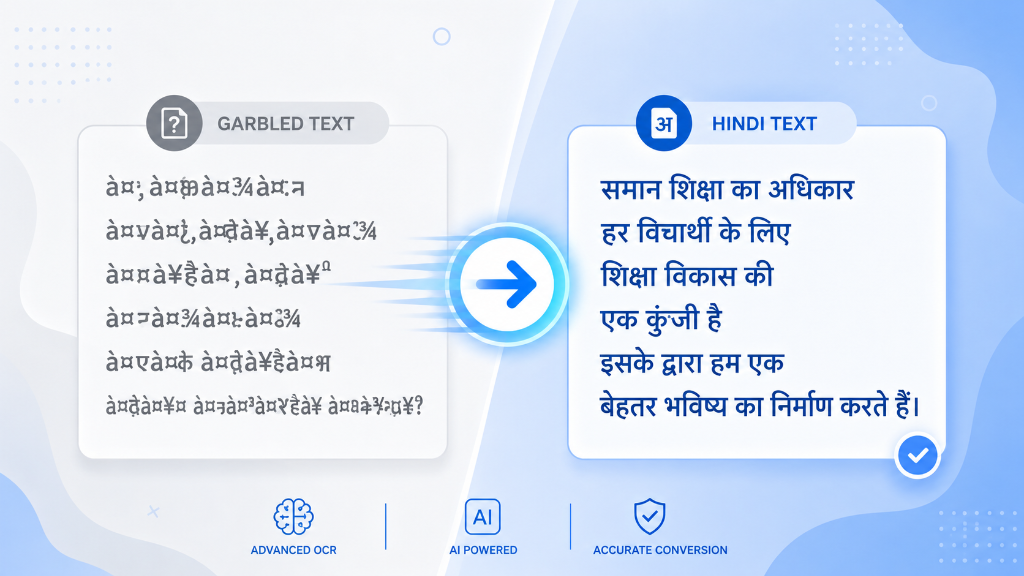
If you've ever copied and pasted an old Hindi file, and the text has turned into strange symbols — like dsa Hkkjr instead of letters — it's actually a problem with a missing font, not a typing mistake. The reason for this is simple: your file is written in an old font like KrutiDev, while your existing software or website wants Hindi text in Unicode format.
This problem is especially troublesome for those who work in government offices, courts, or related to old data entry systems — where thousands of old files are still lying in Kritidev, but new websites, online forms and search engines require Unicode. In this guide, we'll explain in detail the difference between Unicode and KritiDev, where the problem started, how the conversion actually works, and how to do it correctly in Word, Excel, mobile, and on the website.
What is the difference between Unicode and Kritidev
Kritidev is an old Hindi font that actually maps Devanagari letters to English keyboard (QWERTY) key codes. When you press 'd' to type 'k' in Kritidev, it's still just the English letter 'd' to the computer — it's just that the Kritidev font makes it look like a 'k' visually. This means that the text is not actually Hindi, but a visual illusion of English letters for the computer — it looks garbled as soon as you change the font or open it on another system. This is the reason why the text written in Kritidev does not appear correctly in Google Search, WhatsApp, or any other font system, and even search engines are not able to recognize it as Hindi content.
Unicode, by contrast, is an international standard in which every letter in every language in the world has its own fixed, permanent code (e.g. the Unicode code-point for 'a' is U+0905, for 'k' is U+0915). This means Unicode text looks perfect across any device, browser, operating system, or font — whether it's Windows, Android, or iOS. This is why government websites, search engines, and almost all modern software now require Unicode, and older font-based systems are slowly being phased out.
Where did this problem start from?
In the nineties and early 2000s, when Hindi started working on computers, there was no strong standard like Unicode in common use. At the time, "key-mapping fonts" like KritiDev, DevLys, and Chanakya were the most accessible method — because they used old, familiar keyboard habits like a typewriter. Government offices, newspapers, and data entry operators all learned to work on these fonts. The result is that millions of old government files, newspaper archives, and court documents still exist in these old fonts — while the new generation of websites and systems have completely shifted to Unicode. To bridge this gap, a conversion tool is needed.
When is conversion needed?
* While filling government job forms or examination applications, where Hindi text is required in Unicode * To publish government files, notices or reports typed in old Kritidev on the website * When uploading old content to Word Press or any CMS, which looks wrong without Unicode fonts * When sending Hindi text on social media or email where the receiver does not have the old font installed * Those working in court, law or data entry who transfer old files to new systems daily * For website SEO – Because search engines like Google cannot read Kritidev text, that content never appears in search.
##How to do the conversion – step by step
Conversion to Word file
If your entire document is in Kritidev font in Word, select the entire text and paste it into the converter. After conversion, be sure to change the font to Mangal or another Unicode-supported Hindi font when pasting the new Unicode text back into Word — otherwise the text will look wrong even though it's correct.
Conversion to Excel sheet
When you have data in multiple cells in Excel, it's faster to copy the entire column and convert it at once rather than converting each cell separately. Make sure to use "Paste as Values" when pasting back the data after conversion so that the formatting doesn't get messed up.
Conversion on mobile
The same process works on mobile — copy text, open the converter in a browser, paste and copy the result. The biggest problem on mobile is that many default keyboard apps don't render Kritidev fonts, so the text often looks completely jumbled before conversion — this is normal, it will be fine after converting.
Common mistakes that appear after conversion
While converting from Kritidev to Unicode, the biggest problem arises regarding the position of the quantity. In Kritidev, the quantity 'i' is typed before the letter (like the old habit of a typewriter), whereas in reading it is pronounced after the letter. In Unicode, this sequence should be correct according to the letters. Similarly, ligatures (like 'ksha', 'tra', 'gya') are created by different key combinations in Kritidev, which do not map directly to Unicode — so be sure to read them once after conversion, especially if the text is being used in a government form or official document.
Another common mistake is with ax letters (like 'q', 'kh', 'z') – their mapping in older fonts has changed between software versions, so these letters sometimes don't appear in the right place and require manual correction.
What about DevLys and Chanakya font?
Apart from Kritidev, DevLys and Chanakya have also been old popular Hindi fonts, especially in government offices of Uttar Pradesh and Bihar. They have the same logic as Kritidev — based on key codes, not a standard like Unicode — so they require a similar separate converter. If your file is in DevLys or Chanakya, converting directly from KritiDev Converter will result in completely wrong text, as all three fonts have different key-mapping; Identifying the right font is the first and most important step.
An easy way to identify a font is to open the text in the font you suspect it to be written in. If the text appears in correct letters (even if the spacing or size seems odd), it's the correct font.
Comparison of Unicode, KritiDev, DevLys and Chanakya
| font | Base | Use today Search Engine Support
| --- | --- | --- | --- |
|---|
Frequently asked questions
Q: Why do quantities appear wrong in text after converting to Unicode? This usually happens when the font of the original text is mistaken for DevLys or Chanakya instead of KritiDev. First identify the right font, then use the right converter.
Q: Is Unicode text supported everywhere? Yes, Unicode is an international standard, so it looks perfect on every modern browser, word processor, mobile and website without having to install any additional fonts.
Q: Is it necessary to double-check the text after conversion? Yes. Automatic conversion gets most text correct, but ligatures and complex quantities are prone to errors — especially if the text is for a government form or official use, so be sure to read it once.
Q: Do I need to install a specific font for Unicode text? Usually no — Windows, Android, and iOS come pre-installed with Unicode Hindi fonts (like Mangal, Nirmala UI). But setting Mangal font for better appearance is the safest option.
Q: Why are old government files not in Unicode? Because they were created when the Unicode standard was not as common, and updating them even today takes time and resources — so converter tools are still in demand.
conclusion
Understanding the difference between Unicode and Kritidev is the first step in making old Hindi text suitable for today's digital system. Whether you're filling out a government form, uploading an old file to a website, or just want to send correct Hindi text to a friend — the right converter and a little care (especially with quantities and conjunctions) can get the job done in seconds.